GGU Brand Guide
This brand guide supersedes previous guides. Only use the colors specified below, no substitutions. Employees can access Zoom backgrounds, PowerPoint templates, logos, and other brand assets on the SharePoint Brand Portal.
As general guidance, aim for a use ratio of 50% white, 35-40% GGU Blue/GGU Dark Blue, up to 10% gold, and up to 5% quartz.
Primary Colors
GGU Blue

#003468
background · text · border
Primary brand color. As a background, only pair with white text.
GGU Dark Blue

#0C2340
background · border
As a background, only pair with white or gold text. Do not use as text color.
Accent Colors
Gold

#DCA518
accent · border · text
As a text color, only pair only with GGU Dark Blue background.
Quartz

#7C8DA3
accent · border
Use extremely sparingly to mark AI and digital content. Do not use as text color. Never put text on a Quartz background.
Neutrals
White

#FFFFFF
background · text
White is the primary background color. Use for most backgrounds. As a text color, only pair with GGU Blue or GGU Dark Blue backgrounds.
Fog

#F5F4F1
background only
Fog is a secondary background color when an alternative to white is needed. Use sparingly as a background color. Never use as a text color.
Black

#000000
text only
As a text color, pair with White and Fog backgrounds. Do not use as a background color.
Color Usage Summary
Background Colors
- White (primary, with GGU Blue text for headings, Black for body text)
- GGU Blue (with White text)
- GGU Dark Blue (use sparingly, with White text or Gold text)
- Fog (use sparingly, with GGU Blue text for headings, Black for body text)
Text Colors
- Black (on White and Fog)
- GGU Blue (on White and Fog)
- Gold (sparingly, on GGU Dark Blue only)
Border Colors
- GGU Blue (primary)
- Gold (ceremonial and special emphasis only, sparingly)
- Quartz (AI and digital content only, very sparingly)
Accent Colors
- Gold (use sparingly)
- Quartz (AI and digital content only, very sparingly)
Typography
Font Installation Instructions
Windows: Go to Microsoft’s Manage Fonts page, scroll down, and click on the “Add a font from a file” dropdown.
MacOS: Go to Apple’s Font Book User Guide.
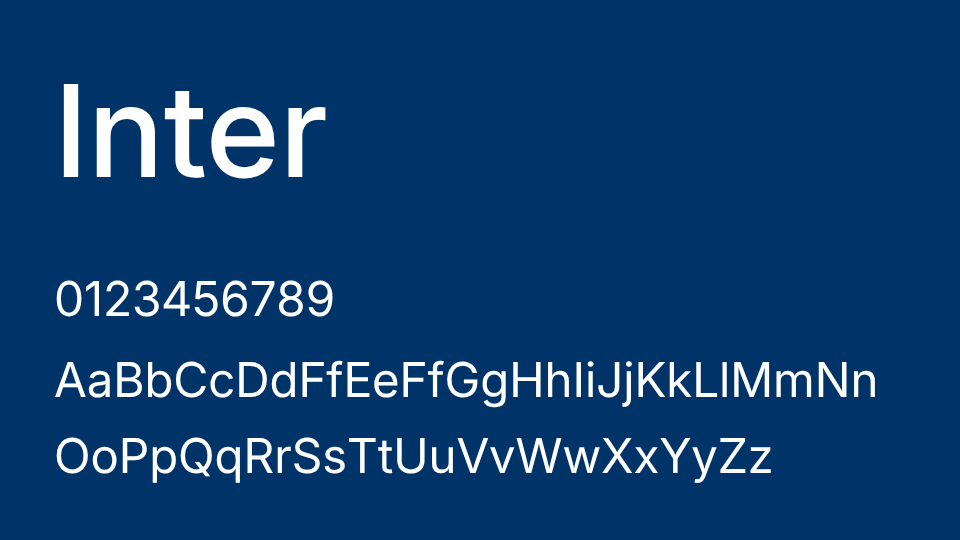
Inter
Inter is GGU’s primary typeface. Use it for headings, navigation, body copy, captions, buttons, and UI.
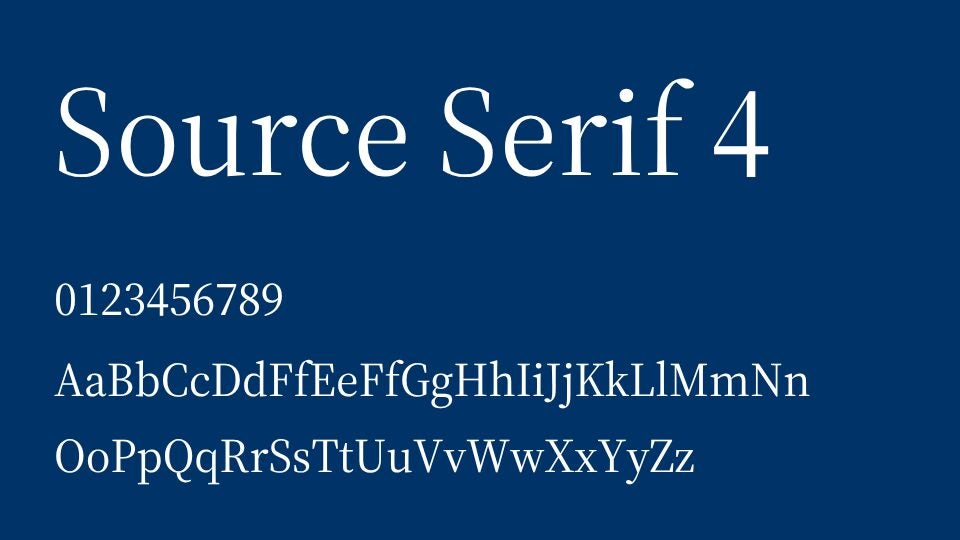
Source Serif 4
Source Serif 4 is GGU’s secondary typeface. Use it for pull quotes and editorial headlines only. Never use it for body copy, navigation, or UI.
Logo
The GGU logo may not be modified, recolored, stretched, rotated, or altered in any way. Use only the approved logo files provided.
Questions?
For logo files, templates, or brand questions, contact us anytime!
Emma Grey
Manager, External Affairs
emmagrey@ggu.edu
Amelia Giordano
Deputy Chief of Staff, External Affairs
agiordano@ggu.edu
